
Join our webinar
Vault in 15: Items or Not Items? Do You Really Need the Vault Item Master?
21 October 2026 | 10:00-10:15 CEST & 17:00-17:15 CEST
Two engineering teams using the same Autodesk Vault take different approaches to the Item Master, but could both be making the right decision?
One team decides to manage its engineering BOM directly through CAD files.
Another introduces the Vault Item Master.
Which one has the better approach?
In this 15-minute technical webinar, we'll challenge some common assumptions about Vault items, explore the real engineering trade-offs, and demonstrate how powerGate can help engineers reuse purchased parts and raw materials that already exist in ERP, directly inside Inventor.
Choose your session and register below.

Akash Agilan is the Product Marketing Manager at coolOrange, responsible for shaping how products are positioned, understood, and adopted. He translates technical capabilities into clear value, enabling engineering teams to recognize problems, evaluate solutions, and move toward better workflows.
What will you discover?
- When CAD files are sufficient and when the Vault Item Master provides genuine engineering value.
- Why independent BOM revisions, approvals and non-CAD structures may justify managing Vault items.
- What additional responsibilities and workflows come with introducing the Item Master.
- How powerGate can work with file-based BOM information in Vault without requiring item assignment solely for the ERP integration.
- How to search for and use ERP-managed purchased parts and raw materials directly inside Inventor.
When do Vault Items actually make sense?
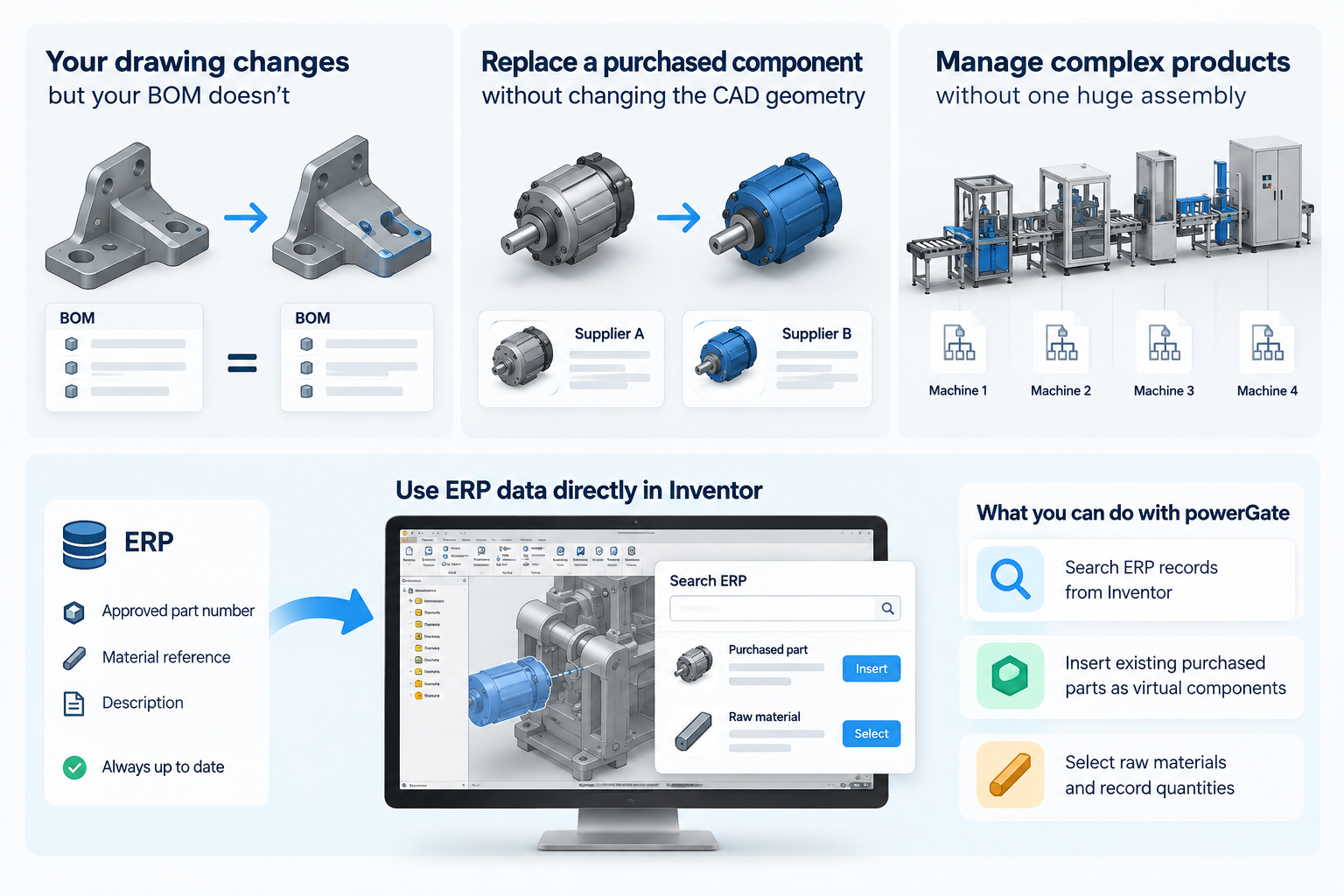
Imagine your drawing changes, but your BOM doesn't. Or a purchased component needs replacing without changing the CAD geometry.
Perhaps you're managing a large production line made up of several machines, but there's no reason to create one enormous Inventor assembly just to represent the complete product.
These are situations where independent item and BOM management can make a difference.
But if your existing CAD files already provide the engineering structure and control you need, introducing another item workflow may only add work.
The question isn't what the Item Master can do. It's what your engineering process actually needs.
What if the information you need already exists in ERP?
Now consider another common situation.
You're working in Inventor and need to include a purchased component or specify the raw material for a part.
Your ERP system already contains the approved part number, material reference and description.
Yet someone still has to find that information and enter it into Inventor.
What if you could use it without leaving your CAD environment?
In our practical powerGate demonstration, you'll see how to:
-
Search ERP records directly from Inventor.
-
Insert existing purchased parts as virtual components.
-
Select ERP raw materials and record their references and required quantities in Inventor.
And there's another important capability: powerGate can also work with CAD BOM information already stored in Vault, without making the Item Master mandatory for a file-based integration.This doesn't replace the benefits of Vault items. It gives engineering teams more freedom to choose the workflow that fits their requirements.