
Engineering Workflow Challenges

You hit release. The assembly moves through the Vault lifecycle, the revision locks, and the BOM is officially out of your hands. You move on to the next project.
Then three weeks later, procurement sends you an email. A part number doesn't exist in SAP. Could you check what you sent over?
If that scenario sounds familiar, you're not alone. The problem is not your fault. It's structural. Most Autodesk Vault-to-ERP workflows leave a gap between the moment you release and the moment ERP actually has usable, complete BOM data. That gap fills with manual work, delayed checks, and eventually your time, long after you thought the job was done.
The Release Button Is Not the Finish Line
In most manufacturing organizations, releasing a BOM in Vault and transferring it to ERP are two separate events separated by a chain of manual steps.
Someone exports the BOM structure. Someone opens a spreadsheet, checks which ERP items already exist, fills in missing values, and adjusts anything that doesn't match what SAP, Business Central, or Oracle expects. Only then does the import happen, and only if nothing fails the ERP validation.
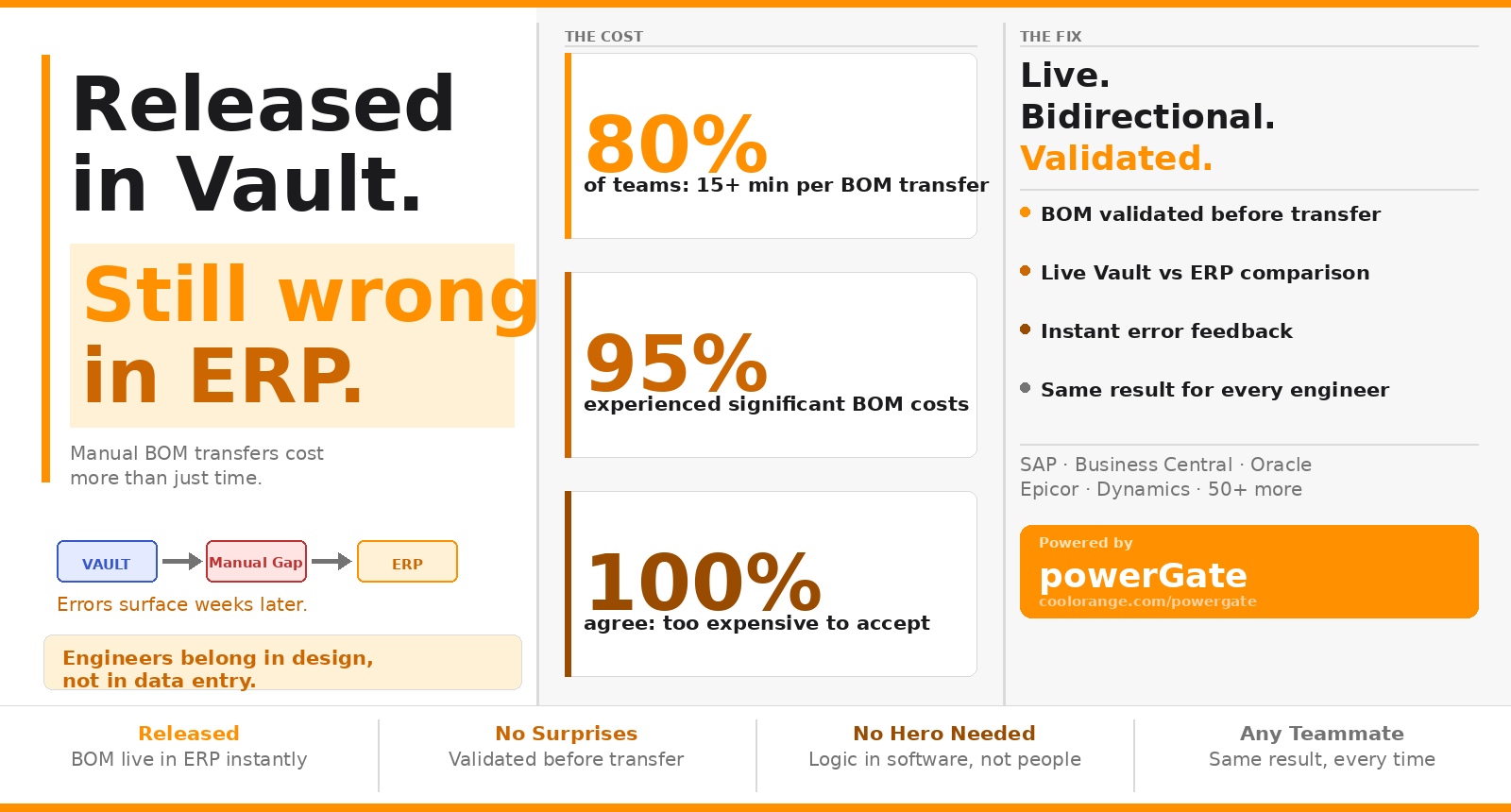
This is not a niche problem. According to coolOrange customer research, 80% of engineering teams say a single manual BOM transfer takes more than 15 minutes. Across every revision, change order, and new release in a product lifecycle, that overhead compounds fast. And 95% of those same teams confirmed that BOM data errors had previously led to significant costs. Not paperwork headaches. Real production stops and procurement delays.
The release was your job. Everything that follows is theoretically someone else's. But in practice, when something breaks downstream, engineering is always the first call.
The Structural Reality Between Vault & ERP
The handover is harder than it looks because an engineering BOM and a manufacturing BOM serve fundamentally different purposes.
Inside Autodesk Vault, your BOM reflects design intent: how the assembly is structured, documented, and validated within the PDM environment. ERP, however, needs a BOM that drives operational execution. Every component must have a corresponding ERP item with a valid item number. That number may come from Vault, may be generated by the ERP system itself, or may follow a custom numbering scheme specific to your organization. If any ERP item doesn't exist yet, the transfer either fails or corrupts the data silently.
On top of that, certain ERP systems enforce their own validation rules: position numbers must be correctly assigned, quantities must match ERP-specific units of measure, and required fields must be populated before import. A technically complete engineering BOM can still reject on ERP import if it doesn't conform to those rules. And you won't necessarily know until someone downstream runs into the problem.
This translation layer between eBOM and mBOM is where most manual work actually lives. It's not laziness or bad process design. It's the inevitable result of two systems that were built for different jobs and never given a direct connection.
When the Error Becomes Your Problem Again
The most damaging aspect of a disconnected Vault-ERP workflow isn't the time it takes. It's the timing of when failures surface.
The BOM transfer happens shortly after release. The error surfaces later, when purchasing tries to order materials using a part number that doesn't resolve, or when manufacturing kicks off a production order and discovers a sub-assembly is missing from the ERP structure or the drawing itself is outdated. By that point, the engineer who released the design has moved on to something entirely different.
But the error traces back to the handover, and so do the calls. Engineering gets pulled back in to verify what was actually released, confirm whether the BOM was transferred correctly, and help untangle decisions that multiple departments have already made based on incorrect data. The cost isn't just fixing the BOM. It's unwinding everything built on top of it.
This delayed discovery problem is what makes a manual PDM-to-ERP integration genuinely expensive over time. The error isn't visible at the source. It's visible where its consequences are felt: in procurement, on the shop floor, and in the schedule.
The One Person Everyone Depends On
Inside most engineering teams, there's someone who has mastered the Vault-to-ERP handover. They know which ERP fields need to be populated manually, how the item numbering scheme works, which material types trigger special handling in their ERP, and which revision states ERP will reject.
That person's knowledge is real and valuable. It's also invisible, unscalable, and one resignation or sick day away from becoming a crisis.
The dependency exists because the process was never formalized. It accumulated over time. The institutional knowledge that should live in a connected system instead lives in a person, expressed through a spreadsheet that only makes sense to the people who built it. When engineers are measured on design output and spend their bandwidth managing a data handover, something has gone wrong at the tooling level, not the human level.
What Changes When Vault and ERP Are Actually Connected
A live, bidirectional Autodesk Vault ERP integration changes the equation at every stage, not just at the transfer step.
During design in Autodesk Inventor, engineers can search the ERP inventory for raw materials and insert approved components directly into their models. Purchased parts and raw materials come from live ERP data, not from memory or a shared spreadsheet. By the time an assembly reaches release, its BOM is already aligned with what ERP knows. The gap that manual preparation normally tries to close simply doesn't open.
When the release does happen, BOM validation can run automatically. Every position number, ERP item status, and required field gets checked before anything moves. Multi-level assemblies, including complete machines with all nested sub-assemblies, transfer in a single step. If something fails validation, the engineer gets an immediate, specific error message directly inside Vault, not a vague import failure reported by a purchasing agent two weeks later.
The BOM comparison capability replaces one of the most time-consuming manual checks: opening both the Vault BOM and the ERP BOM side by side to look for discrepancies. That comparison happens inside Vault, color-coded, in real time. If a revision has changed something since the last sync, it's visible before the transfer runs.
And because the logic lives in the software rather than in one person's head, the validation rules, the numbering scheme, and the structural mapping are all configured once and then available to everyone. Any team member can run the workflow with the same result. The hero dependency disappears, and so does the anxiety of not knowing whether ERP actually received the right structure.
The Engineer's Job Is Engineering
The problems described here aren't failures of diligence. CAD engineers doing manual BOM handovers are being careful precisely because the system gives them no other choice. The spreadsheet, the manual check, the follow-up email: all of it is compensating for a connection that was never properly built.
Once Autodesk Vault and your ERP system share a live, validated connection, the release button actually means something. Engineering's job ends at release. Production's job starts with data it can trust. And nobody has to field that call three weeks later.

.jpg)
(1).jpg)